FeatureRouteMaps turns your field walk into the draft. Conduit footage, fiber footage, and feature counts roll up automatically as you map, so your material list is finished the minute you’re back to the truck. No hand-counting. No spreadsheet.
Field apps capture the route but never count it. Takeoff tools count off plans, back at the desk. FRM counts as you capture, in the field.
Built by a utility engineer with 18 years in outside plant, who coded it himself.
Full-access trial. No credit card. We usually reply the same business day.
Plenty of software does a material takeoff. None of it does the takeoff in the field, as you capture.
PointMan, Fulcrum, ArcGIS Field Maps, TrueContext
Capture position and assets in the field. No pathway contents, no takeoff. You still count later.
VETRO FiberMap, IQGeo, 3-GIS, Katapult Pro
Model duct, cable, and strand contents, but as-designed inventory rebuilt back at the office, not at field time.
AutoCAD & spreadsheets, by hand
Real takeoff, but manual, off plans, back at the desk, after the walk.
Field-time structured capture
As-located GPS plus conduit, cable, and strand counts dropped in the pathway as you draw it, one pass. That’s the part nobody else does.
Permits ask about everyone in the corridor. FRM was built by a utility engineer with 23 years across utilities and 18 in outside plant, who permitted underground and aerial himself, so it captures the conflicts a permit requires in the same field pass.
Water, sewer, gas, power, and the other telcos go in as you pass them. The conflicts a permit asks about are already on the map, not a second trip.
Capture crossings, clearances, and existing infrastructure as structured features, not loose photos to sort out later. Permit-ready the way you fielded it.
Custom feature sets and palettes let one app map every utility a permit touches. That breadth is required for permitting, not feature bloat.
You walk the route. Then someone keys it all into CAD or a spreadsheet to count materials, days later, by hand, a digit off here and there. The count should come off the walk, not a second pass. That second pass is where the hours and the errors live.
Mark what’s in the run as you draw it. The footage math does itself. A 300’ run with three conduits = 900’ of conduit; the 48-count fiber = 300’ of fiber. Field-entered, office-ready.
FRM is a full utility mapping suite, not a single-trade tool. 88 feature types ship ready to go, and you build your own Feature Palettes and Pathway Palettes in minutes, for fiber, electric, gas, water, telecom, or anything you map. No technical skill, no CAD setup. Your features, your colors, your workflow.
See the takeoff build itself on a real route. Book a 30-minute demo.
Book a demoFootage derives itself on existing runs too. Same real-time count on every pathway you draw. No reconciling back at the office, no second pass.
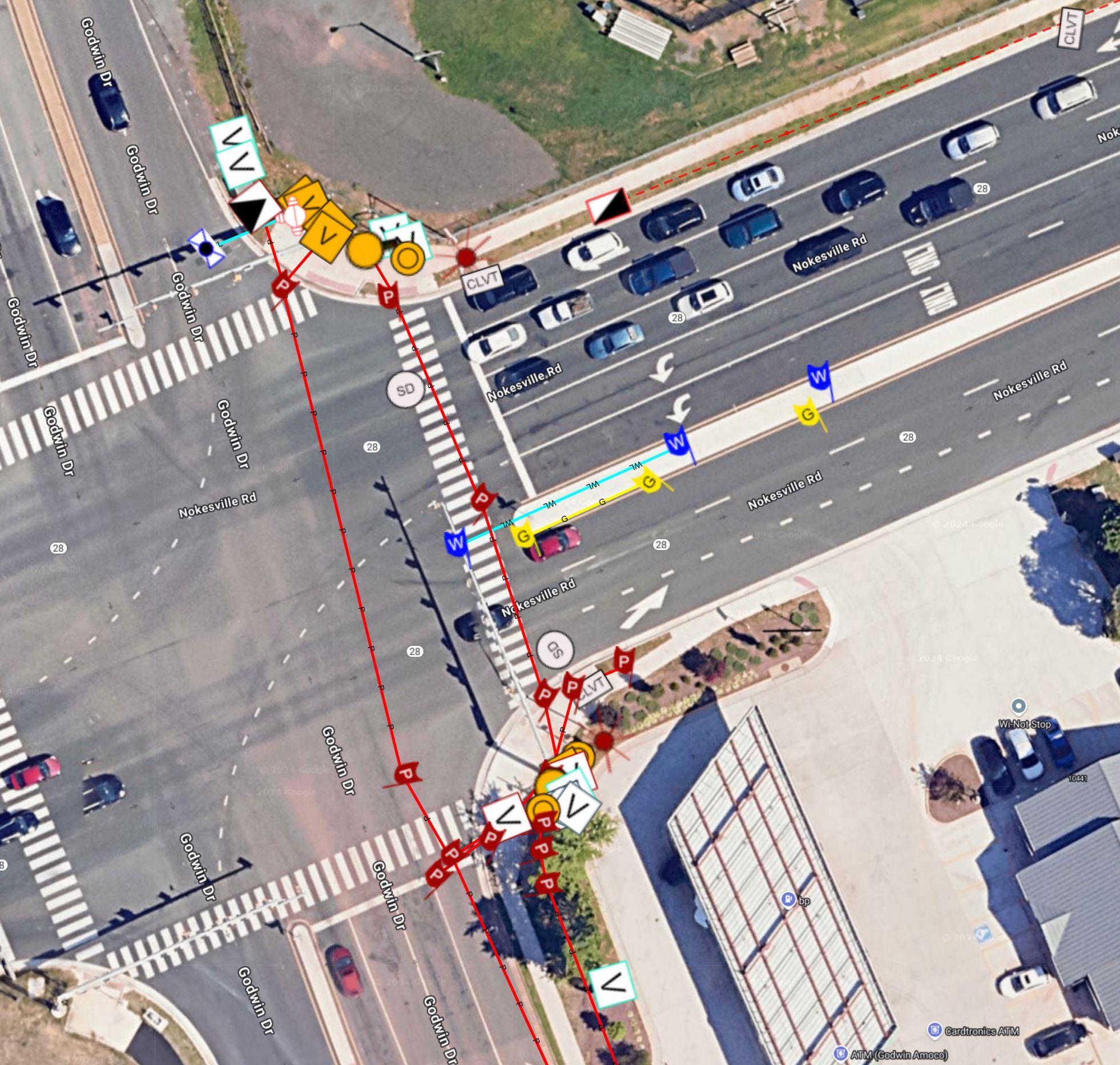
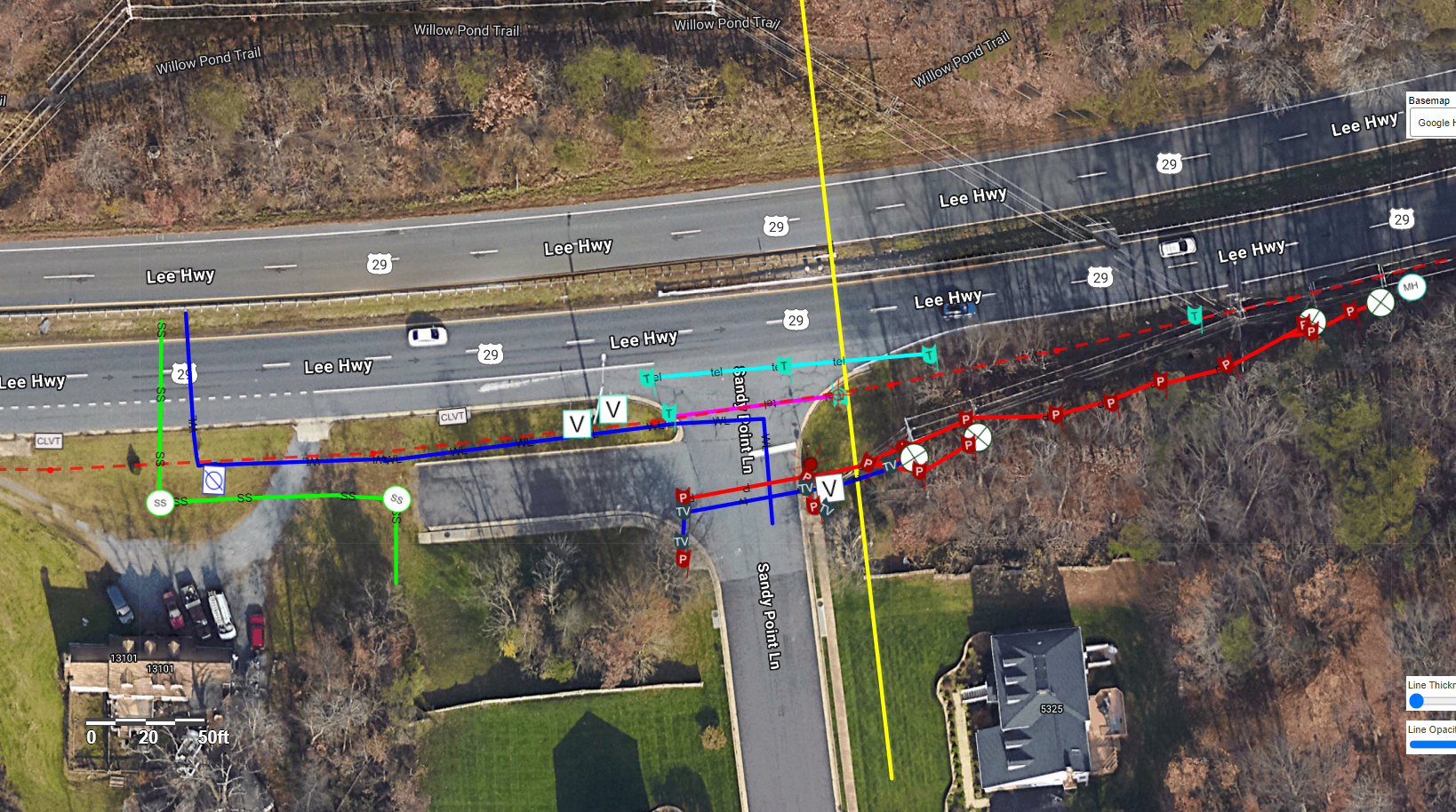
Utilities and surface features overlaid on satellite imagery
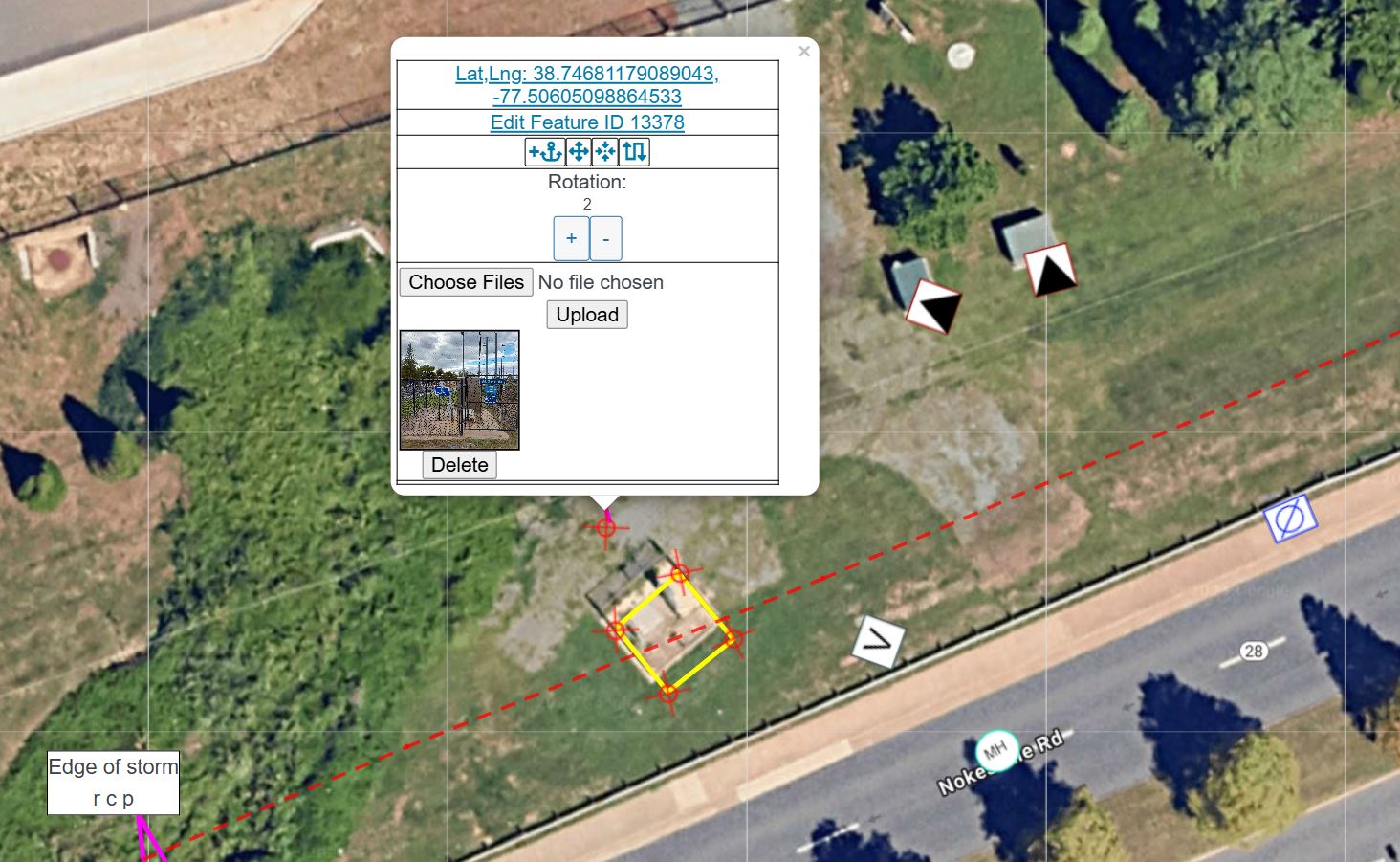
Capture coordinates, metadata, and attach photos to any feature
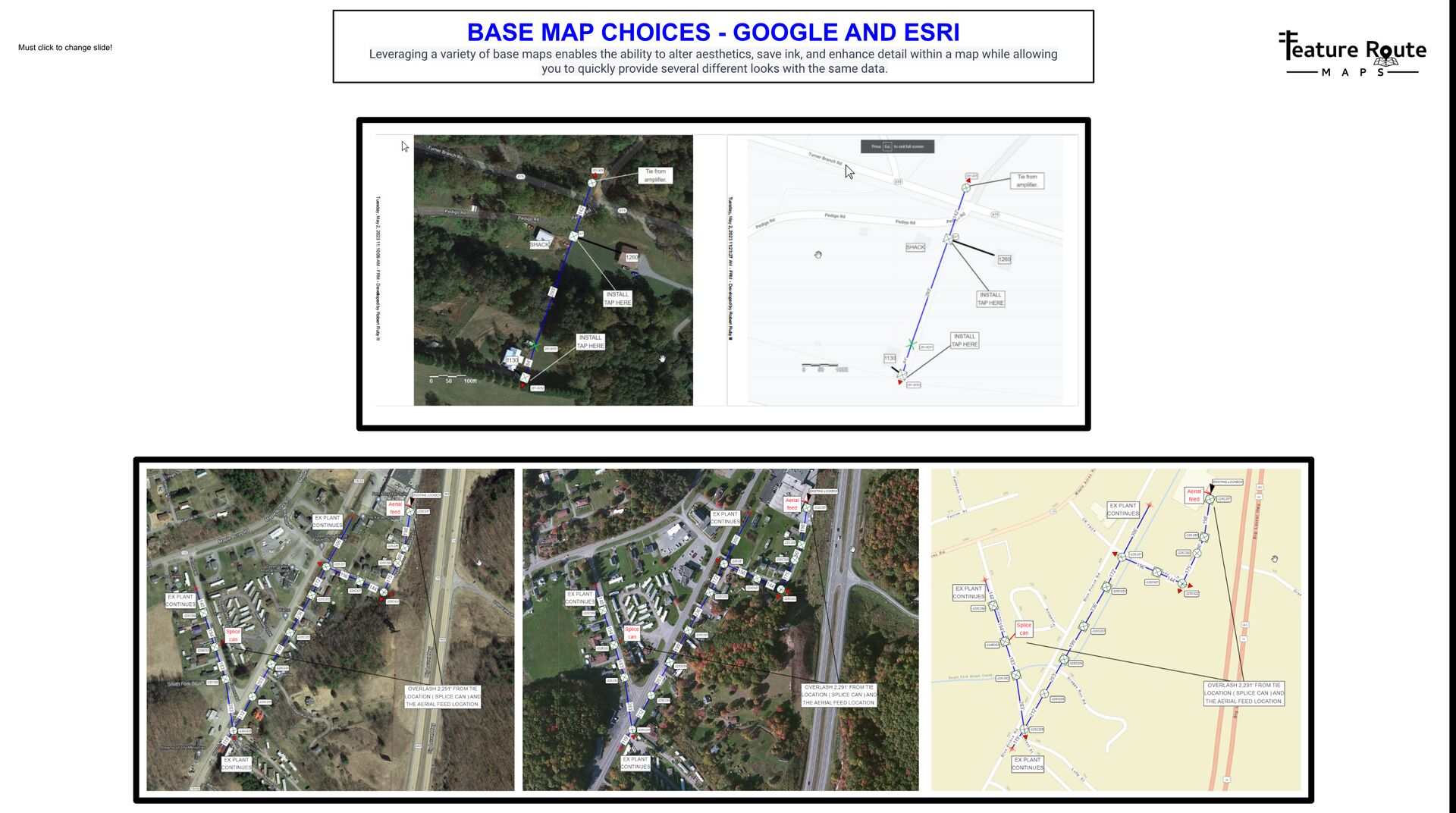
Choose satellite, street, or vector maps from multiple providers
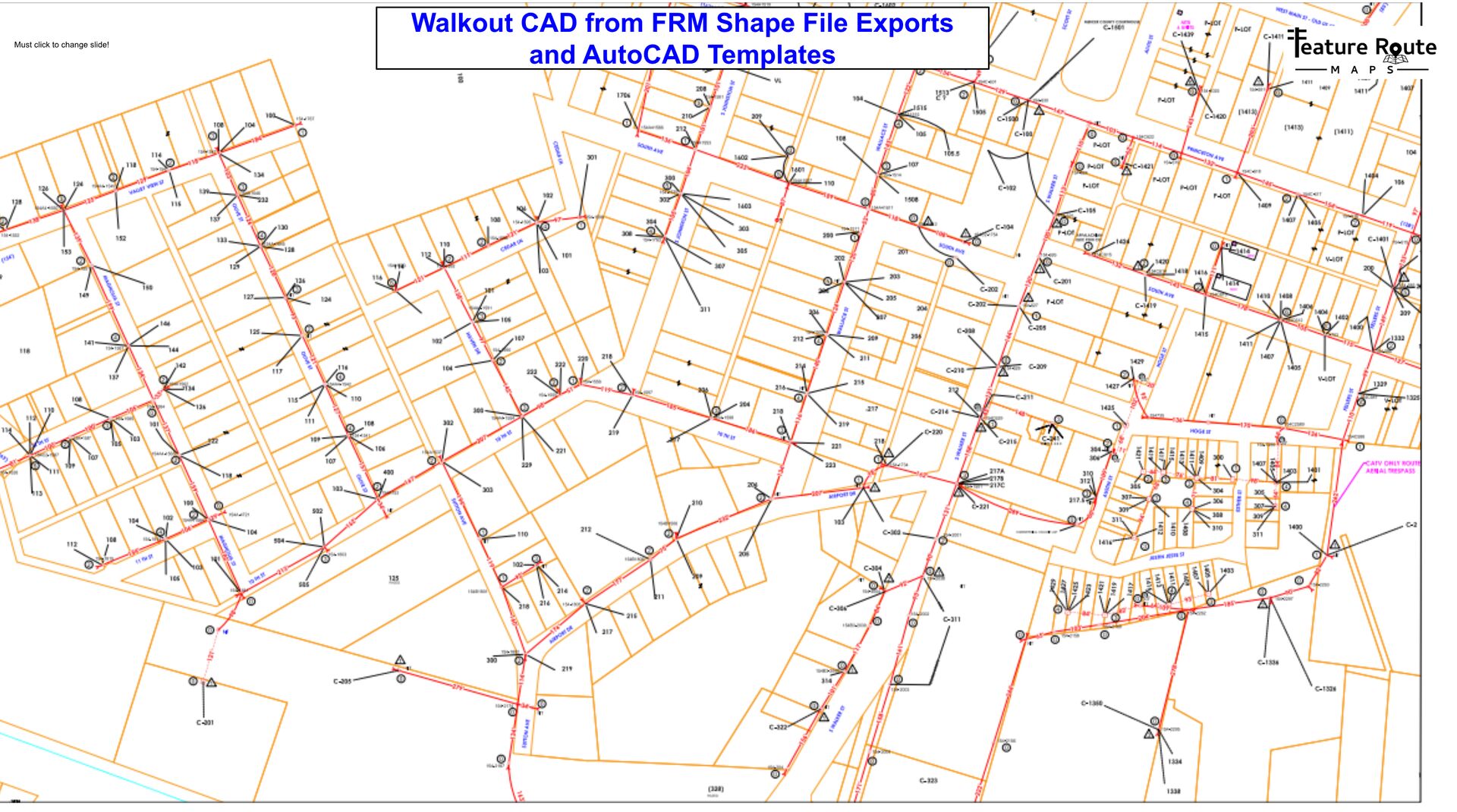
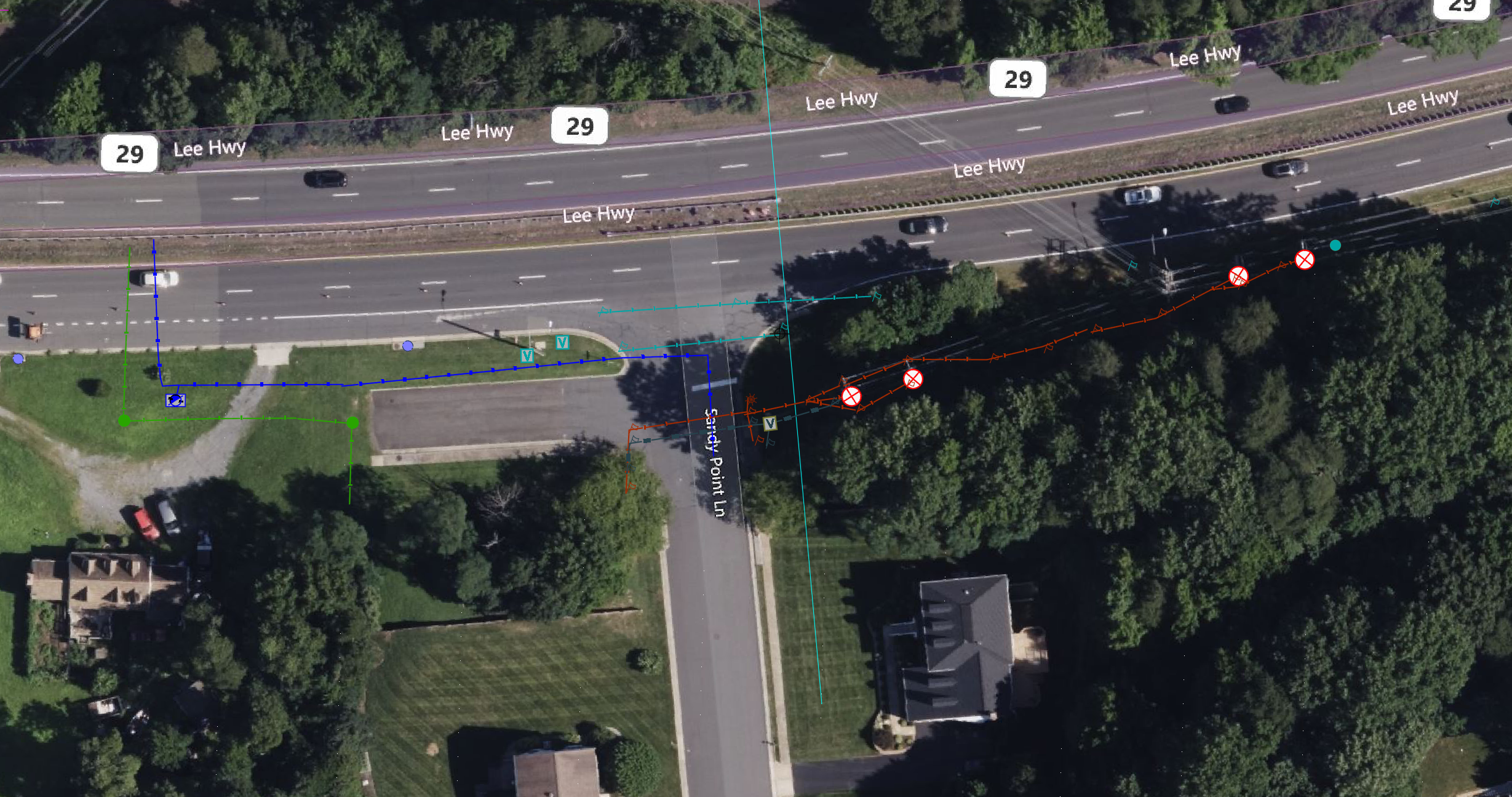
Export color-coded utility layers directly to AutoCAD
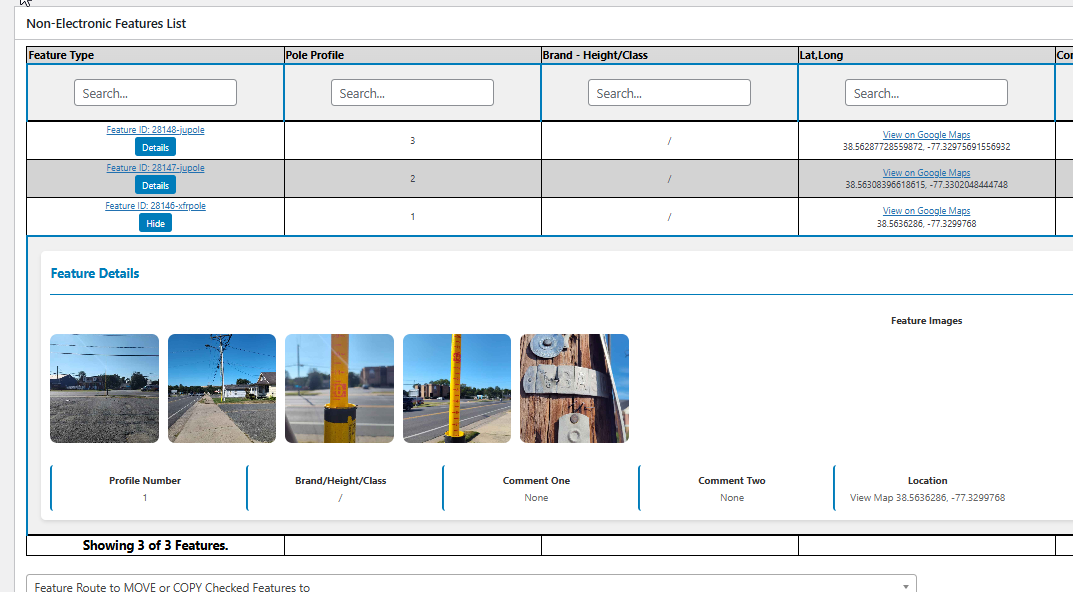
Manage features, photos, and metadata in organized dashboards
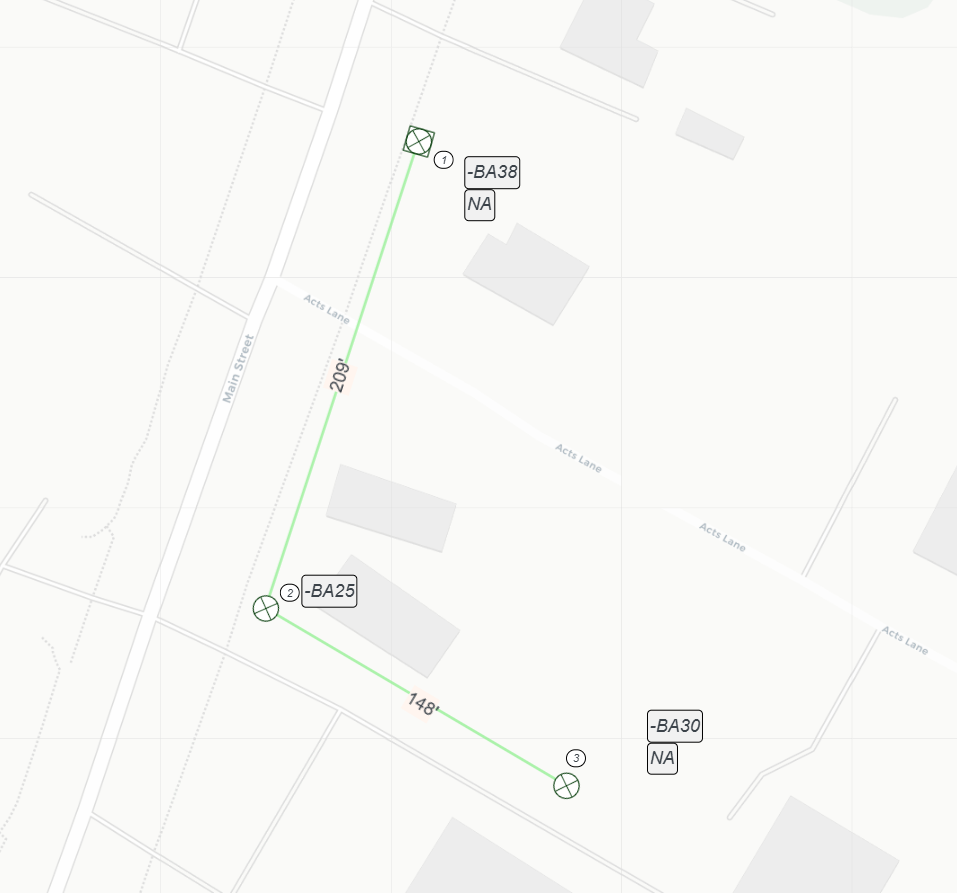
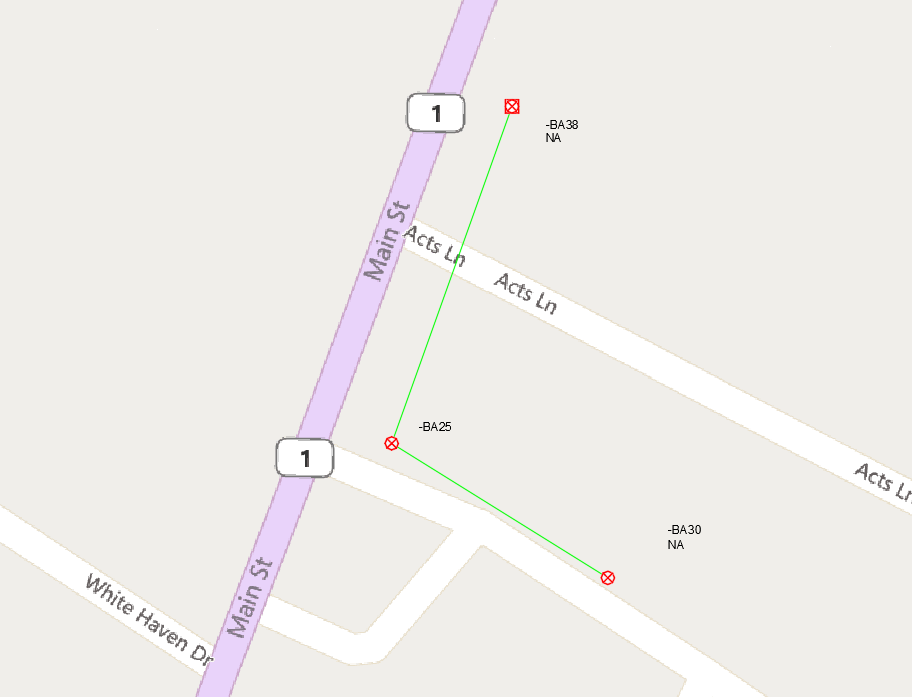
Map poles and utilities along roads with precise placement
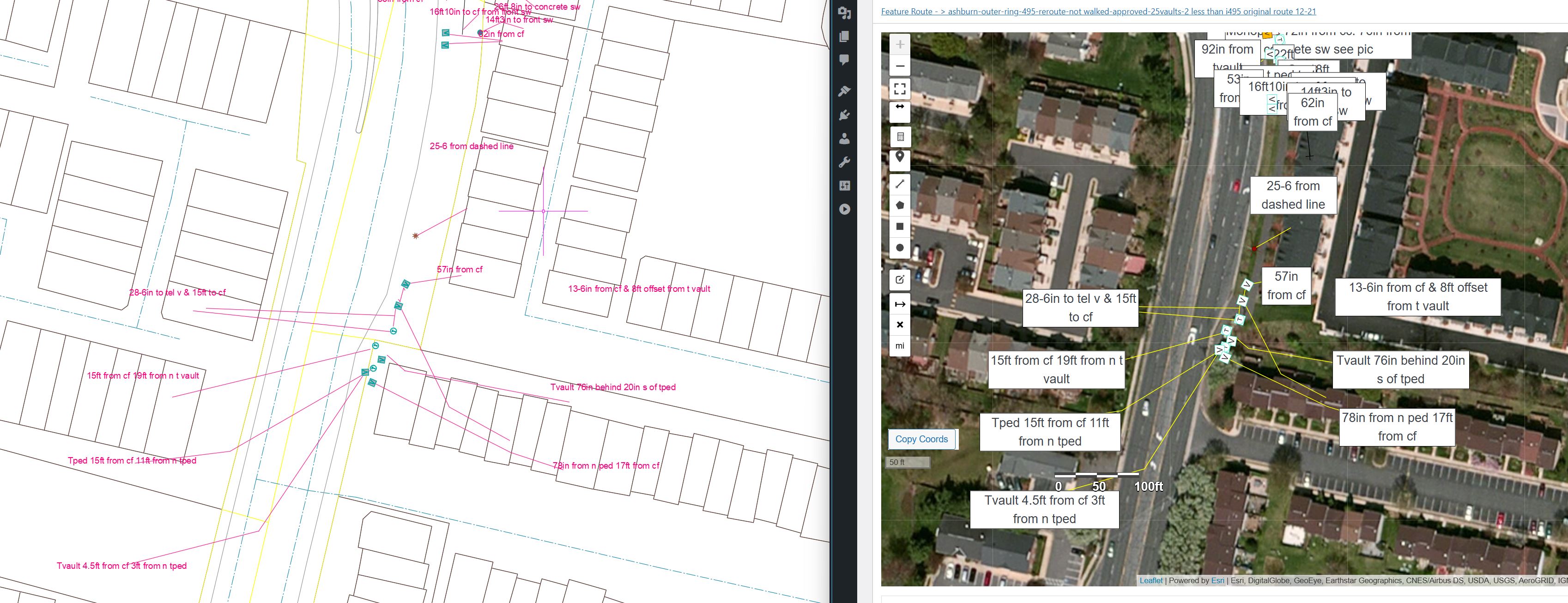
See how field data captured in FRM translates directly to CAD designs
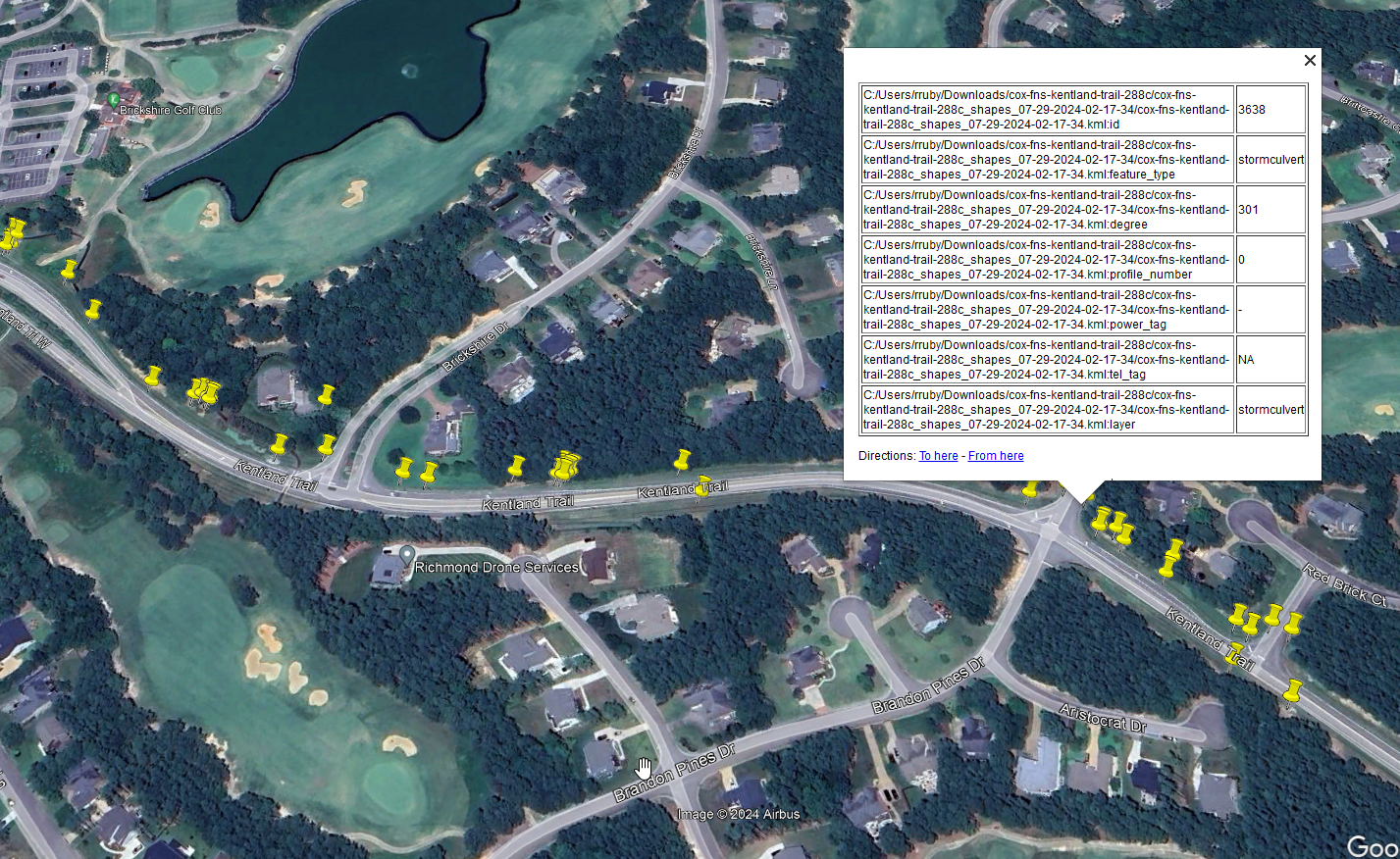
Want to see the data yourself?
Download Sample KMZ ~190 MB file with photos. Open in Google Earth to explore real FRM export data.Bring a route. See the export come back with linework drawn and notations carried through. Book a 30-minute demo.
Book a demoThe takeoff is the headline. This is the rest of the toolbox.
Connect your GNSS device for survey-grade accuracy. Hand measurements work too. FRM adapts to your workflow.
Satellite imagery from Esri, Google, and more. Choose the best view for your project area.
88 preloaded utility and surface feature types out of the box. Customize feature types, feature palettes, label types, pathway types, and build your own forms.
Export to KML, ESRI shapefiles, and more. Import directly to your CAD software for final cleanup.
Attach geotagged photos to any feature. Documentation that stays linked to exact locations.
Designed for phones and tablets. As intuitive as paper, but with digital precision and instant delivery.
“FRM has and will be proven to become the industry benchmark for a mapping program in accuracy, speed and ease of use. We use FRM on all our projects, which include site surveys, project costing, easements, right of way plans, JPA permitting, and more.”
“Geared for the field engineer to capture data in real time that will generate a very precise CAD design in very short order. Rapid CAD mapping to construction in a matter of days, instead of months.”
“His mapping software is awesome. When you ask Robert for mapping for a project he completes it very fast and it’s design and permit ready. I would not want to work with anyone else.”
FRM wasn’t designed in a boardroom. Robert Ruby got his first taste of outside plant on a blind-bore crew pulling Verizon tel drops. He’d been writing code since 15; by 17 he’d engineered a gigabit network for his school and built its cable-tray pathways. He worked electrical alongside two uncles through his teens, then built inside plant from 19 to 22. Eighteen years in outside plant followed: permitting underground and aerial, performing site surveys, and mapping inside and outside plant for broadband coax, HFC as-builts, and fiber from headend to customer. Field engineer and coder the whole way, he built FRM himself on his own jobs, so it works the way the field actually works, not the way a software company guesses it does.
Put FRM on your next bid. Book a 30-minute demo and bring your own route.
Book a demoWalk the route and drop your pathways, conduits, and cables on satellite imagery in real time.
Feature counts update as you place them. Conduit runs, cable types, span lengths, all tallied on the walk.
Pathway length times conduit count equals conduit footage. FRM does the math, nothing to re-key.
Export clean KML or Shapefile straight into AutoCAD or your GIS. Your BOM and your draft, done in one pass.
Real-world walkthroughs and examples straight from the field.
As you draw a pathway in the field, FRM multiplies its measured length by the conduit and cable counts you place on it. Footage and feature counts roll up live, so your bill of materials is complete the moment you finish the walk. Nothing gets re-keyed into CAD or a spreadsheet.
No, and it does not try to. But with proper setup it expedites your CAD workflow enormously. The export comes in with all route linework drawn, every feature placed and rotated the way the fielder had it, and field notations carried through, so CAD is finish work and final design, not redrawing from scratch.
FRM exports KML, KMZ, and ESRI shapefiles with color-coded utility layers ready for AutoCAD or any GIS. You can download a sample KMZ on this page to see real export data in Google Earth.
Any of them. FRM is a full utility mapping suite, not a single-trade tool. It maps fiber, electric, gas, water, sewer, telecom, and any infrastructure you survey. Preset feature types get you started, and custom palettes cover the rest.
No. FRM connects to a GNSS device for survey-grade accuracy when you need it, but hand measurements work too. The app adapts to how your crew already fields the route.
Yes. 88 feature types ship ready to use, and you can build your own Feature Palettes and Pathway Palettes in minutes. No technical skill or CAD setup required.
Every plan is the full app. The bigger your team, the less per seat.
One bid that skips the office redraft pays for a full year of Solo.
5 seats and up, priced per seat, rate steps down as you grow:
Example totals: 5 seats = $4,250/yr · 10 seats = $8,000/yr · 20 seats = $15,200/yr
Every plan includes the full app:
Cloud storage and backup: $25/month flat, plus $0.012/GB. A typical season runs 40 to 80 GB, about $1/month in overage, so most crews land around $26/month total.
Book a demoWhite label installs available for enterprise.